PSD Mockup

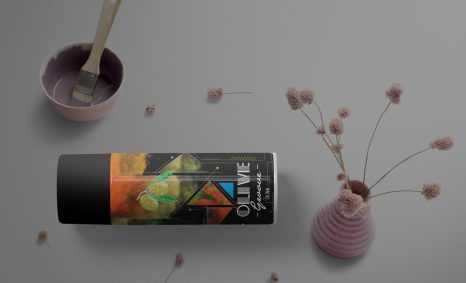
Enhance your design projects with our free Plastic CutLine Mockup. This mockup allows you to showcase your designs in a realistic and professional manner. Whether you’re working on packaging, branding, or product presentations, this resource will elevate your visual projects effortlessly.
Our mockup features high-resolution images and is easy to customize in Photoshop. Simply insert your design into the smart layers, adjust the lighting if needed, and you’ll have a stunning representation of your work in minutes. Perfect for designers looking to impress clients or enhance their portfolios.
Get this amazing and attractive CutLine Mockup to display your work design in an amazing look. The PSD file is well separated, organized, and very easy to customize, you can make all the changes you need and easily replace your design using the smart-object layers. If you like this mockup then do not forget to rate it!
Are you using a plastic template to show off your work? Why not use this instead? This PSD template allows your design or photograph to stand out in front of the bend line. Download the PSD for a high res plastic cut line.
To preview your logo, design or typeface in a plastic cut-out format and get an idea of how it would look like on a real product, use this free PSD mockup. You are also welcome to use it for reference or tutorial purposes. Be sure to check out our other freebie just below – a free 3D metal-styled logo mockup.
More great & free PSD Mockups Collection:
- Wall Art Mockup Free
- Paper Bag Mockup Free Download
- New Bi-Fold Brochure Free Download
- Free New Billboard Mockup Download
FAQs – Free Plastic CutLine Mockup
Can I use the Plastic CutLine Mockup in Photoshop?
Yes, the Plastic CutLine Mockup is fully compatible with Photoshop, allowing for easy customization and design integration.
What file format is the mockup available in?
The mockup is provided in PSD format, making it simple to edit and personalize your designs.
Is it easy to edit the Plastic CutLine Mockup?
Absolutely! The mockup features smart layers, allowing you to effortlessly insert and edit your designs with just a few clicks.
Does the mockup support different lighting effects?
Yes, you can adjust the lighting and shadows in Photoshop to match your design aesthetic and create a more realistic appearance.
What types of designs are best suited for this mockup?
This mockup is ideal for packaging, labels, and branding designs, providing a professional look for various creative projects.