PSD Mockup
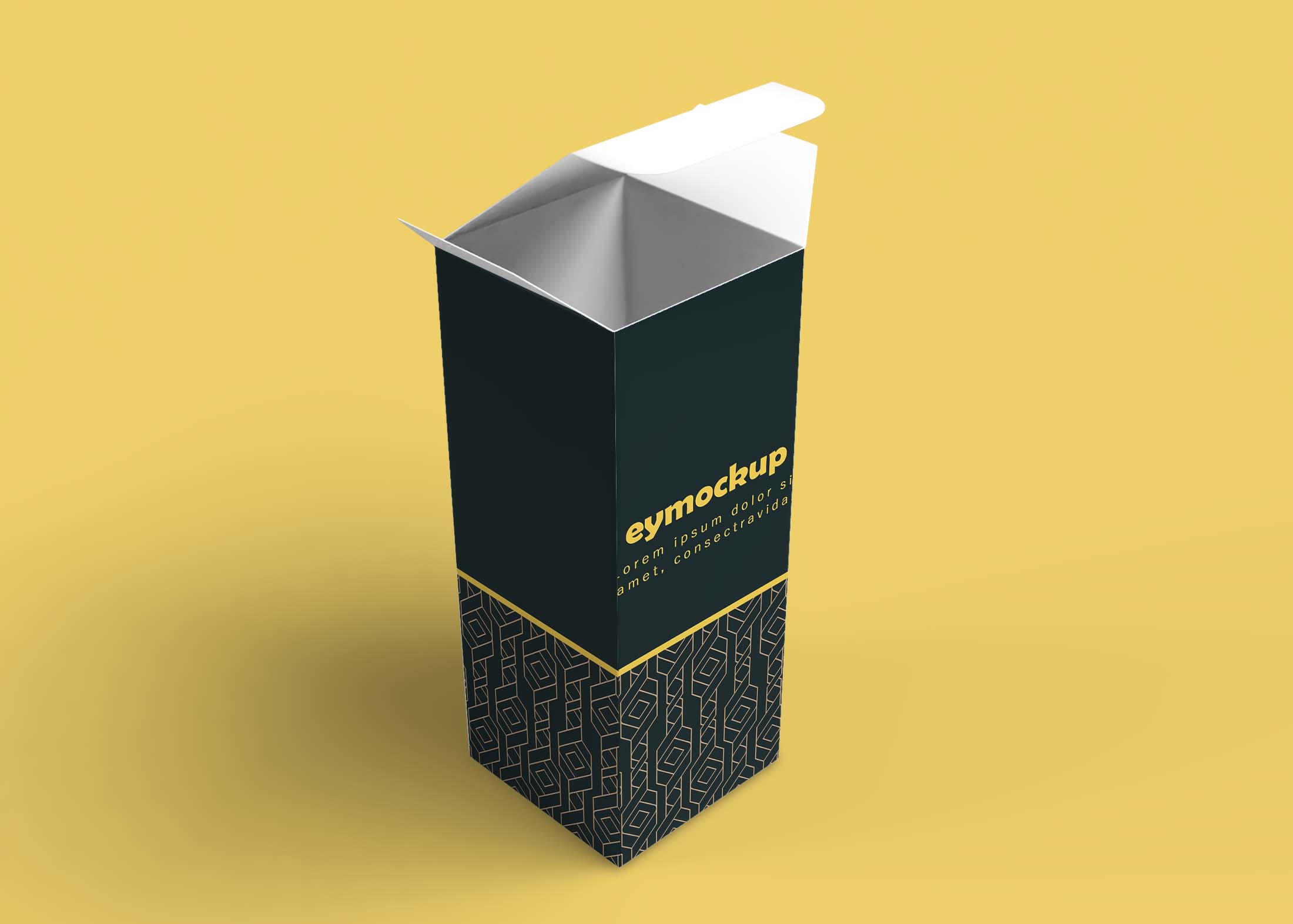
Elevate your packaging design presentations with our free premium long box mockup. This versatile mockup allows you to showcase your product packaging in a realistic and visually appealing way. Perfect for designers, marketers, or brands looking to enhance their portfolio, this mockup provides an excellent platform to display your creativity and branding.
The long box mockup is fully customizable, allowing you to easily edit elements using Adobe Photoshop. With smart object layers, you can insert your designs seamlessly, ensuring a professional look. The high-resolution images and realistic lighting effects help bring your packaging concepts to life, making it easier to present to clients or stakeholders.
A high resolution long box mockup to showcase your printed or custom designed logo or design. You can use Photoshop to create the final image of your design, which will be outputted as a transparent PNG file.

This free long box mockup is a great way to showcase your business and products on your website or social media. You can use it for no cost for personal and commercial uses, so whether you’re a designer or developer just get started with this mockup template today!
More Mockups like this :
- Free Thin Luxury Packaging Box Mockup
- Free Universal Plain Box Mockup
- Free Unique Luxury Box Label Mockup
- Free Three Square Box Mockup
- Free Wine Bottle Box Mockup
Description:
Available Format: Layered PSD through smart object insertion
Zip File Includes: Photoshop PSD File
Resolution: 2000 x 2250 px
Free Premium Long Box Mockup
FAQs – Free Premium Long Box Mockup
Can I edit the long box mockup in Photoshop?
Yes, the mockup is designed for easy editing in Adobe Photoshop, using smart object layers for seamless design integration.
Does the free premium long box mockup include realistic lighting?
Absolutely! The mockup features realistic lighting effects that enhance the presentation of your designs.
What formats does the long box mockup come in?
The long box mockup is typically provided in PSD format, which is compatible with Adobe Photoshop for easy customization.
Is it easy to place my designs in the mockup?
Yes, simply double-click the smart object layer, paste your design, and save to see it applied to the mockup.
Do I need advanced skills to use this mockup?
No, basic knowledge of Photoshop is sufficient to effectively use the long box mockup and customize it to your needs.